PCS400R
Pro:Centric® Server
Key Features
- Simple Installation
- Minimal Head-End Rack-Space
- High Reliability
- Remote Support
- (New) Supports Pro:Centric Direct (PCD)
Contact us
GGEAR Commercial


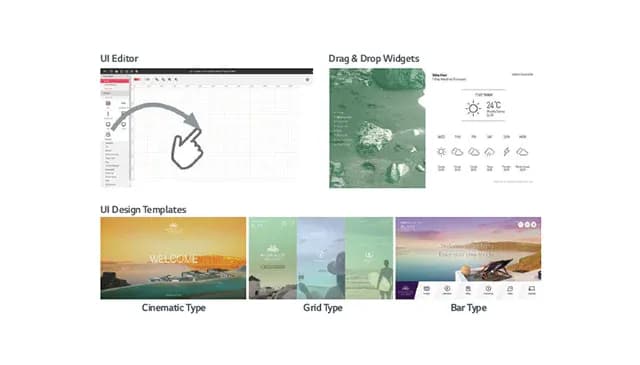
Supports Pro:Centric Direct (PCD)
The PCS400R supports LG’s new Pro:Centric Direct, HTML5 Content Management Software. Pro:Centric Direct offers a comprehensive UI (User Interface) Editor, along with customizable widgets and multiple theme templates to enable system integrators to create a unique guest user experience and express the hotel’s brand identity and individuality through LG's Pro:Centric In-Room television.
SERVER ADMIN CLIENT
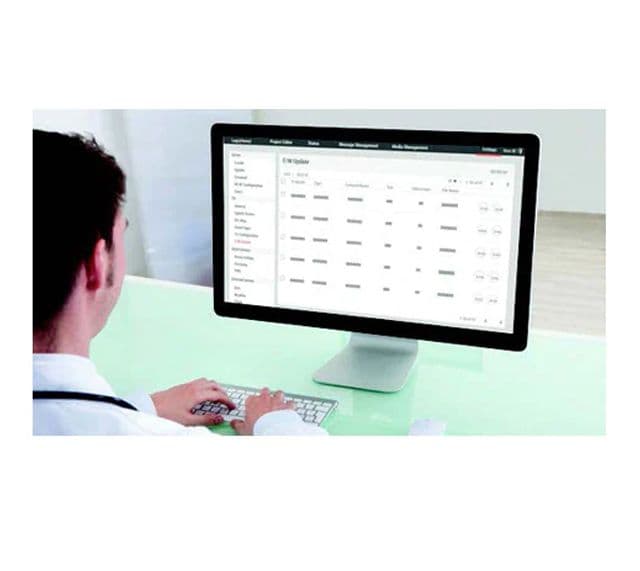
PCA or PCD Admin Client Graphical User Interface (GUI) is provided and is remotely accessible via the Internet using VPN service and a standard web browser, to provide System Integrator administration users with a full suite of features to manage and support the Pro:Centric system, including:
• System status and logs, and server settings
• Configuration for Channel lineup and Electronic Program Guide
• UI Editor and customization tools
• Managing television configurations settings and software updates
For further details, refer to the appropriate
Pro:Centric™ Admin Client User Guide
(also accessible on the system).
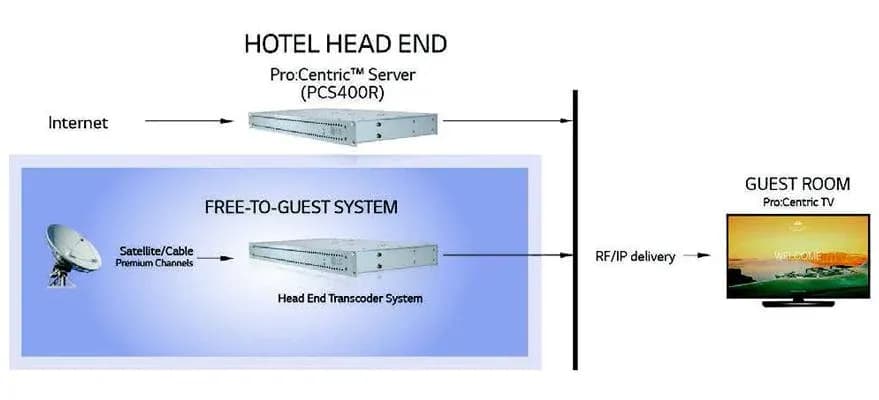
TYPICAL FTG Pro:Centric PCS400R INSTALLATION
Remote management of the PCS400R server functionality is provided via a secure, built-in VPN client that connects to the centralized VPN server. In this way, remote configuration management, remote software updates and other services are supported. Free hosting of the service is provided by LGE during the warranty period. Extended support plans are available.
INSTALLATION REQUIREMENTS:
Installation of the PCS400R requires the following:
– 1U rack space in the Head-end room
– Ethernet Connection (VPN and FTP open)
– 1 x 110/120VAC power outlet
– 1 coax drop to the RF combiner to feed the output of the
server into the RF network or 1 Ethernet cable to connect
Feature Port to the IP network switch
System System
Linux OS kernel 3.10, PCA (Java) and PCD (HTML) server applications
Active Output Level at RF Out jack
-1 dBm (+47.75 dBmV) Typical
DC Input
+19V DC @ 2.2 Amps Adaptor
RF Output Span
Up to 8 Contiguous Channels (Typically 48-64 MHz)
Ethernet Connector (Control Port)
10/100/1000 BaseT, RJ-45
Ethernet Connector (Feature Port)
100/1000BaseT, Full Duplex RJ-45
RF Output Frequency Range
54 MHz to 865 MHz
Command Line Interface port (5V TTL)
RS-232 DB-9
Level at ASI Out Jack
800 mv
Frequency Accuracy
+/- 5 ppm
ASI Out Jack
75 ohms, BNC
Data Output
ASI,RF, 100/1000T Ethernet
Rear Port
ASI/RF/RF Tap/TTL serial, Ethernet 2 Port
Active Output Level
-1 dBm (+47.75 dBmV) Typical
Test Output Level
-47.75 dBm (+1 dBmV) Typical
CPU/Memory / Storage
64 bit Intel Atom (4 Cores @ 1.91GHz ) processor / 8GB memory / 275GB SSD
Standard
ITU-T J.83 Annex B (QAM-B)
Constellations
64-QAM, 256 QAM
Symbol Rate
64-QAM / 256-QAM / 5.056 MBaud, 6.111 Mbaud, 6.9 MBaud
Interleaving
Fixed I=128, J=1
Parameters
64-QAM, 7/8 Convolutional Code, 1/32 Guard Interval Ratio, 2K FFT, 13 Segments
Sample Rate
8.126984 Ms/s
Humidity
95% Non-condensing
Temperature
32° to 104° Fahrenheit
Humidity
95% Non-condensing
Temperature
-4° to 158° Fahrenheit (-20° to 70° Celsius)
Unit Dimensions (W × H × D)
19.0” x 1.7” x 8.5”
Unit Weight (Rack-only)
5.65 Ibs.
Regulatory Compliance
FCC, UL, RoHS
Warranty
1 Year
UPC
7 19192 91975 4